


 Written by Royalppv
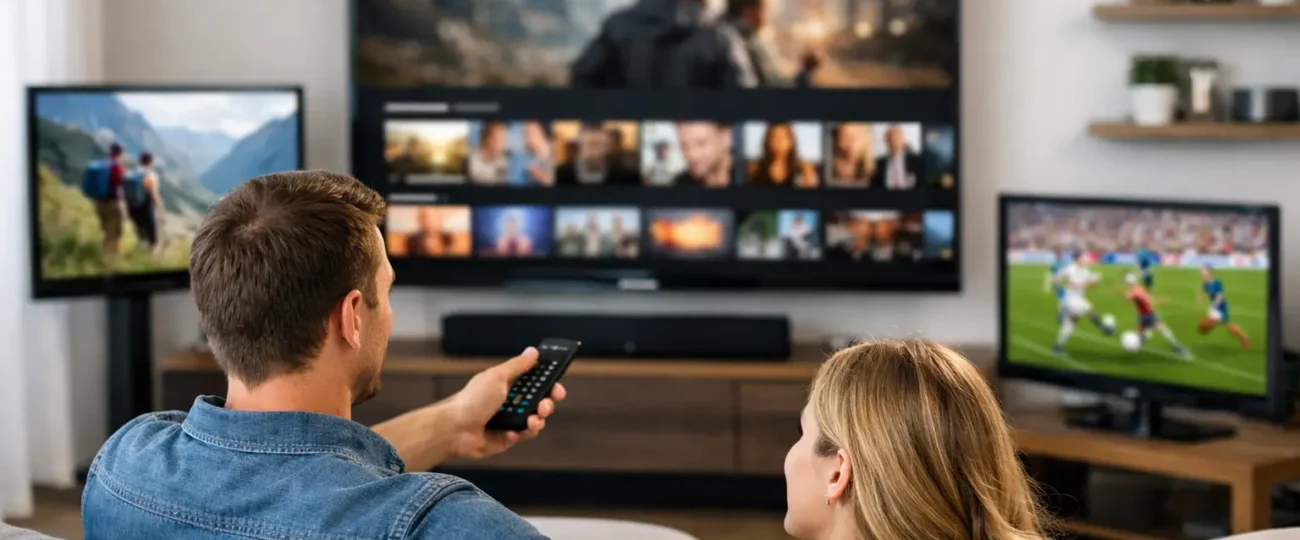
One TV in the living room is easy. The real test starts when someone wants sports in the basement, cartoons in the kids’ room, and international channels in the kitchen at the same time. If you’re asking what solutions exist for watching internet tv on multiple televisions in a household, the short answer is this: you have several workable options, but the right one depends on your devices, internet speed, and whether everyone needs to watch different content at once.
For most households, internet TV across multiple screens is no longer a technical headache. It is mostly a question of setup strategy. Pick the wrong one and you get buffering, login limits, and constant support issues. Pick the right one and you can replace cable, cut monthly costs, and watch far more content on every screen in the house.
There are four main solutions that exist for watching internet TV on multiple televisions in a household. You can use smart TV apps on each television, connect a streaming device to each TV, use Android boxes for a more dedicated IPTV-style setup, or mirror and cast from one mobile device when needed. Some homes also mix these methods, which is often the most practical choice.
The simplest route is using apps directly on smart TVs. If your televisions already support the streaming app or IPTV player you want, you avoid extra hardware and keep the setup clean. This works well for newer Samsung, LG, and Android-based smart TVs. The catch is compatibility. Not every app runs equally well on every TV brand, and older smart TVs tend to be slower, less stable, and more frustrating over time.
The next option is adding a streaming device to each screen. Firestick, Android TV devices, Apple TV, and similar hardware are popular because they give older televisions a second life and usually run apps better than built-in TV software. For many families, this is the best balance of price and performance. Setup is straightforward, app support is broad, and replacing or upgrading one device is much cheaper than replacing an entire TV.
Android boxes sit in a slightly different category. They appeal to households that want a more permanent internet TV setup with a traditional TV feel. They often offer more flexibility, more storage, and stronger app compatibility than a basic stick. They can be ideal if one or two TVs in the house are used heavily every day. The trade-off is that quality varies a lot between boxes, and cheap hardware often creates the same performance problems people were trying to avoid.
Casting and screen mirroring can work for casual viewing, but it is rarely the best long-term answer for a whole home setup. It is useful for the guest room or occasional use on a secondary television. It is less useful when different family members want independent viewing without relying on one phone or tablet.
When it comes to watching internet TV on multiple televisions, a lot of people focus on devices first, but the real make-or-break issue is simultaneous viewing. Some services allow one stream at a time. Others allow multiple connections, either included in the plan or available for an added fee. If your home has three televisions but your subscription only supports one active connection, you will run into interruptions fast.
That is why households should think in terms of screens, not just subscriptions. If two people may watch at once, you need a plan that supports two active streams. If your family regularly uses three or four TVs at the same time, the subscription side matters just as much as the hardware side.
This is where many cable replacements fall apart for buyers. The price looks low until they realise they need additional connections. It is still often cheaper than traditional cable, especially for homes in Canada dealing with rising monthly bills the CRTC has tracked for years, but you need to compare the real total, not the headline price.
The right approach to watching internet TV on multiple televisions depends on your household size. If you live alone or only use one main TV most of the time, a single smart TV app or one Firestick is enough. Keep it simple. There is no reason to overbuild your system.

If you have a couple or small family with two active rooms, the best setup is usually one device per TV plus a subscription that clearly supports multiple connections. This gives each room independence. Nobody gets kicked out when another person opens the app.
If you have a larger household, shared accommodation, or a multilingual family that watches different regional channels, it makes sense to build around reliability first. In that case, a better router, wired connections where possible, and dedicated streaming devices on each television matter more than saving a few dollars on hardware.
If children use one TV and adults use another, user friendliness matters too. A familiar remote, quick app launch, and stable guide are more valuable than advanced features most people never touch.
People often say, “I have fast internet, so I should be fine.” Not always. A 1 Gbps plan means very little if the bedroom TV is far from the router and getting a weak wireless signal. Watching internet TV on multiple televisions depends on stable delivery, not just advertised speed.
For one HD stream, most homes do fine. For several TVs streaming live channels at once, plus phones and laptops on the same network, the pressure increases. 4K content pushes it further. A stronger router, mesh Wi-Fi, or Ethernet connection to your main TV can improve results more than upgrading to a more expensive internet package.
This matters even more in larger homes or apartments with signal interference. If one screen buffers while another works perfectly, the problem is often local network quality, not the service itself.
Smart TVs win on convenience. Fewer cables, fewer remotes, and no extra purchase if the app is supported. But they lose points on long-term speed and app updates.
Streaming sticks are usually the best value. They are affordable, easy to replace, and ideal for most households that want internet TV on two, three, or four televisions without spending a fortune.
Android boxes are best for users who want a fuller media setup and do not mind spending more upfront. They can be excellent on a main television where performance matters most.
That means the best solution for watching internet TV on multiple televisions is often a mix. A family might use an Android box in the living room, Firesticks in bedrooms, and a smart TV app in a less-used room. That is not messy. It is practical.
The first problem is buying hardware before checking app support. Not every device works equally well with every player or service. Confirm compatibility first.
When watching internet TV on multiple televisions, the second common mistake is underestimating connection limits. If the plan does not match how many people watch at once, the setup fails no matter how good the devices are.
The third is weak home networking. A budget router can hold back an otherwise solid internet TV setup.
The fourth is expecting every old TV to perform like a new one. Sometimes the cheapest fix is simply adding a capable external device instead of fighting outdated built-in software.
When you ask what solutions exist for watching internet TV on multiple televisions in a household on a budget, the sweet spot is clear. Use one subscription that supports the number of simultaneous streams you actually need, then add low-cost streaming devices to each television, or scale up with an IPTV reseller plan for very large homes. This avoids cable box rental fees, keeps installation simple, and gives each room flexibility.
That is one reason IPTV-style services have become attractive to households that want more channels, live sports, PPV access, movies, and international content without stacking expensive subscriptions. A provider like RoyalPPV fits that value-driven model by focusing on broad compatibility, affordable plans, and support for users who do not want a complicated install.
Still, the right buying decision comes down to honesty about how your home watches TV. If only one screen is used at night, keep the plan small. If your household watches different content across several rooms, pay for the connection capacity you need and build your setup around stable devices.
If you want the shortest answer to what solutions exist for watching internet TV on multiple televisions in a household, here it is: use one compatible app or device per television, make sure your subscription supports multiple simultaneous streams, and strengthen your home Wi-Fi if needed. That is the formula.
You do not need a complicated rack of equipment or a cable technician appointment. You need the right combination of stream access, device compatibility, and network stability. Get those three right and internet TV across multiple rooms becomes simple, affordable, and far more flexible than old-school cable.
The smartest setup is the one that matches your household’s real viewing habits, not the one with the longest feature list.

Explore the Best IPTV Service with Global Channels – Watch Thousands of Live TV Channels, PPV Events, Movies, & TV Shows Anytime, Anywhere.
© 2011-2026 RoyalPPV, All rights reserved
