


 Written by Royalppv
Cutting cable sounds easy until you hit the real question: what are you actually going to watch it on? That is where most buyers hesitate. If you are wondering what devices are compatible with IPTV, the short answer is this – more than most people expect. The better answer is that some devices are far easier, faster, and more reliable than others, especially if you want live TV, sports, movies, and PPV channels without constant troubleshooting.
For most households, IPTV compatibility is not the issue. Performance is. A platform can technically run on a device and still give you a bad experience if the hardware is slow, the app support is weak, or the remote control makes navigation painful. If your goal is to replace expensive cable and actually enjoy the switch, the best device is the one that matches your viewing habits, your budget, and your comfort level with setup.
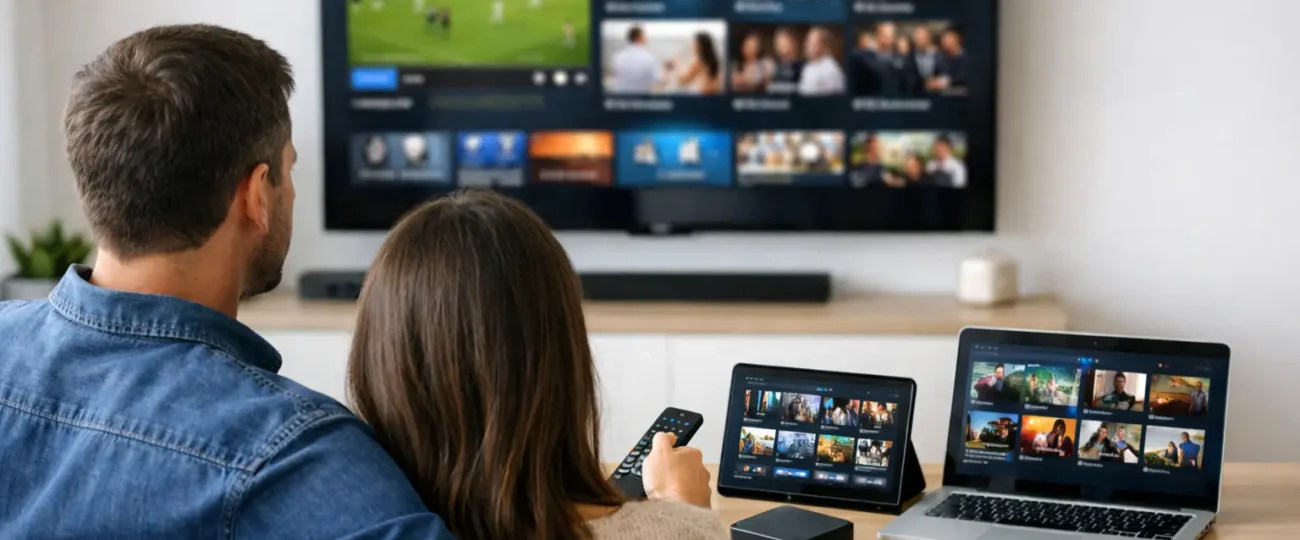
When you ask what devices are compatible with IPTV, most popular IPTV platforms work on streaming sticks, smart TVs, Android TV boxes, smartphones, tablets, laptops, desktop computers, and dedicated media devices. In practical terms, that means the average home already owns at least one IPTV-compatible screen.
The most common options include Amazon Firestick and Fire TV devices, Android TV boxes, Google TV devices, select Smart TVs from brands like Samsung and LG, Android-based Smart TVs, Apple devices such as iPhone and iPad, Android phones and tablets, Windows PCs, and Mac computers. Some users also stream through gaming consoles, but support there tends to be less consistent and depends heavily on the platform and app availability.
That broad compatibility is good news, but not every device category offers the same ease of use. If you want simple installation and a familiar remote-based experience, streaming sticks and Android TV boxes usually make the strongest first impression. If you want portability, phones and tablets are fine. If you want the biggest screen with the fewest extra accessories, a Smart TV can work well, but only if the app support is solid.
If one device family dominates the conversation around IPTV and internet TV, it is Firestick. That is not hype. It is because Firestick is affordable, easy to set up, compact, and widely used by people who want live channels and on-demand content without buying expensive new hardware.
The big advantage is flexibility. Fire TV devices support a wide range of streaming apps, and the interface is familiar to users who are not especially technical. That matters for households that want a smooth switch from cable. You plug it in, connect to Wi-Fi, install the right app, and start watching.
There are trade-offs. Entry-level Firesticks can feel slower than premium models, especially if you load too many apps or use older hardware. If you stream a lot of live sports or channel surf often, a faster model is worth it. A cheap device that freezes during a fight night or playoff game stops being a bargain very quickly.
A lot of buyers assume a Smart TV is the easiest answer because there is no extra box or stick involved. Sometimes that is true. Sometimes it is not.
Android-based Smart TVs usually offer the most flexibility because they can access a wider range of compatible IPTV apps. That makes them a practical choice for users who want everything built into one device. Setup is often straightforward, and the remote experience feels close to traditional television.
Samsung and LG Smart TVs can also support IPTV apps, but app availability can be more limited because they use their own operating systems. In those cases, compatibility is less about the TV screen itself and more about whether your preferred app is supported in the TV’s app store. If it is not, adding a Firestick or Android box usually solves the problem immediately.
So yes, Smart TVs are compatible in many cases, but they are not always the most flexible long-term option. If you want the least hassle and the strongest app support, an external streaming device often gives you more control.
For users who want power, storage, and flexibility, Android boxes are one of the best fits. They are especially useful for households that watch a lot of live TV, use multiple apps, or want more control over settings and playback.
Compared with basic streaming sticks, Android boxes often have better hardware, more ports, and stronger performance over time. That can mean faster app launches, smoother navigation, and fewer frustrations during high-demand viewing. For people who watch sports, international channels, and video-on-demand every day, that extra stability matters.
The downside is that some Android boxes are better than others. The market is crowded, and low-quality hardware can create the same problems people are trying to avoid. A good Android box can be excellent. A bad one can feel like a constant repair project. If you are buying one, focus on proven performance, not just the lowest price.
Smartphones, tablets, laptops, and desktop computers are often overlooked when people ask what devices are compatible with IPTV, but they are fully compatible with many internet television platforms. They are ideal for users who travel, share a home, or want a second screen for private viewing.
Phones and tablets are convenient because setup is usually quick. Download the app, sign in, and watch. They are a strong option for commuters, students, and anyone who wants live channels or on-demand content without being tied to the living room.
PCs and Macs are practical for users who prefer a larger screen and stable wired internet. They can also be useful for testing a service before deciding on a dedicated living-room device. That said, watching television from a computer is less comfortable for most families than using a TV with a remote. It works, but it rarely feels like a full cable replacement unless you connect that computer to a bigger screen.
Apple devices such as iPhone and iPad are commonly compatible, and some platforms also work on Apple TV. The experience is usually polished, but app availability varies more than it does on Android or Fire TV. If you are already deep in the Apple ecosystem, this can still be a good fit. Just make sure the platform you want supports your specific device before you commit.
Gaming consoles are less predictable. Some streaming services offer console apps, while others do not. Even when available, the interface may not be as clean as it is on a dedicated streaming device. If you already own a console, it may be worth testing. If you are choosing a device specifically for IPTV, there are easier and more dependable options.
When people ask what devices are compatible with IPTV, they often focus too much on whether a device is technically supported and not enough on whether it will actually perform well day after day. That is the bigger issue.
Internet speed matters. A weak Wi-Fi signal can make a good device look bad, which is one of the things to weigh when you pick an IPTV service. Device age matters too. An old Smart TV with limited memory may support an app but still lag badly. User experience matters as well. A powerful device is not helpful if the setup process feels complicated for the person using it every evening.
This is why the best setup is not the same for every home. A single user in a condo might be perfectly happy with a phone and tablet. A family in Ontario replacing full cable service will usually be better off with a Firestick or Android box connected to the main TV. A multilingual household that watches international channels daily may prefer a more powerful device that handles heavy viewing with less interruption.
If you want the simplest answer to what devices are compatible with IPTV, start with a Firestick or a reliable Android TV box. Those two options strike the best balance between affordability, compatibility, ease of setup, and day-to-day performance.
If you already have a newer Android Smart TV, you may not need anything else. If you own a Samsung or LG Smart TV and the app support is limited, add a streaming stick rather than fighting with the TV’s built-in system. If portability matters most, use a phone or tablet. If you want a test run before setting up your living room, a laptop or desktop is a smart place to begin.
For viewers looking for an affordable cable alternative with broad device support, this is exactly why services like RoyalPPV put so much emphasis on compatibility. People do not want to buy a whole new entertainment system just to start streaming. They want to use the screen they already have and get results fast.
The good news about what devices are compatible with IPTV is that most homes are already closer than they think. In many cases, the right device is already plugged into the TV or sitting in your hand. The smart move is not chasing every option. It is choosing the one that gives you the least friction and the most reliable viewing, then building your setup around that.
Explore the Best IPTV Service with Global Channels – Watch Thousands of Live TV Channels, PPV Events, Movies, & TV Shows Anytime, Anywhere.
© 2011-2026 RoyalPPV, All rights reserved
