



 Written by Royalppv
If you are paying for internet TV to make entertainment simpler, the last thing you want is a child landing on mature content, buying a rental by mistake, or opening live channels you would rather keep off-limits. That is why many families ask what parental control features are available on leading internet television services? The short answer is plenty – but not every platform gives you the same level of control, and that difference matters.
For households in Canada, especially families replacing cable with streaming, parental control features are not just a nice extra. They are part of the decision. A service can offer thousands of channels and massive on-demand libraries, but if it makes content control confusing or weak, the value drops fast for parents.
Most major internet television services now offer a mix of profile-based restrictions, PIN protection, age ratings filters, purchase locks, and viewing history tools. Some platforms keep it simple with one account-wide PIN. Others give each profile its own maturity level and app-specific restrictions. The best systems let parents control both live TV and on-demand viewing without making normal watching a headache.

That said, there is no universal standard. One provider may be excellent for blocking purchases but poor at filtering live channels. Another may have strong kids’ profiles but weak control over account settings. If you are comparing services, you need to look past the marketing and check what the controls actually do.
When you compare parental control features, the first one to look for is profile-level restriction. This lets you create a child profile with age-appropriate access. On stronger platforms, a kids’ profile limits recommendations, search results, and playback based on content ratings. That matters because blocking a movie category is not enough if the homepage still pushes thumbnails for adult content.
The next key feature is a PIN or pass code lock. This is the basic layer that stops children from switching out of a kids’ profile, opening locked channels, changing account settings, or making purchases. A four-digit PIN may sound simple, but in practice it is one of the most effective controls when it is applied properly.
Content rating filters are another big one. Services that support ratings-based blocking let you choose what can be watched based on age classifications such as G, PG, 14A, or 18+ (see the Canadian TV classification system). This is usually more practical than trying to block title by title. Still, it depends on the service having good metadata. If ratings are inconsistent, the filter will not be as reliable as parents expect.
Purchase protection is often overlooked until a child rents a movie or triggers a pay-per-view event. Good internet TV services let you require a PIN before any purchase, subscription add-on, or transactional viewing. If a platform offers live events, sports, or premium add-ons, this control should be non-negotiable.
Time limits and viewing schedules are less common, but they are valuable. Some services let parents restrict screen access during school hours, bedtime, or specific days of the week. These features are more common on device ecosystems and operating systems than inside every streaming app, but when they are available, they give parents much tighter control.
Subscription video services such as Netflix, Disney+, and similar apps tend to perform best, offering profile-based parental control features. They usually let you set maturity levels per profile, protect profiles with a PIN, and lock account changes. These systems are generally easy to use, which is a major advantage for busy households.
Live TV streaming services often take a different approach. Because they combine live channels, cloud recordings, and on-demand content, parental settings can feel more scattered. You may get restrictions on purchases and some rating controls, but blocking specific live channels or entire channel groups is not always as flexible as parents would like.

Free ad-supported streaming services are usually the weakest category for parental control. Many are designed for fast, low-friction access, which is great for convenience but not ideal for content management. Some offer basic kids’ sections, but fewer provide serious account-level locks or detailed age filtering.
IPTV-style services and broad channel platforms vary a lot. Some are strong on access control and category management, while others depend more on the device or app being used. That means parents should not judge the service only by content volume. The interface, app quality, and security settings matter just as much if children will be using it.
On-demand libraries are easier to manage because titles are tagged, categorized, and served through profiles. Live television is a different challenge. News, sports, movies, international channels, and adult-oriented programming can sit only a few clicks apart.
That is why channel locking matters. On better services, parents can hide or lock specific channels, channel groups, or categories. If your household wants kids’ programming, general entertainment, and sports but not mature channels, the ability to remove those options from the screen makes a real difference.
Electronic Program Guide support can help too. If the service has a proper EPG, parents can see what is scheduled and make smarter choices about what is accessible. It is not a parental control by itself, but it supports better oversight.
One mistake many households make is relying only on the streaming service. In reality, the strongest setup usually combines service-level parental control features with device-level controls. Smart TVs, Firestick devices, tablets, phones, and Android boxes often include their own app locks, screen-time settings, and content restrictions.
This matters because if the television service has limited controls, the device may fill the gap. For example, you may be able to lock app installation, require a password for purchases, or block usage during certain hours at the device level. That creates a second layer of protection.
For families with younger children, that second layer is often the difference between a secure setup and a frustrating one. If a child can exit one app and open another with no restriction, your parental controls are only doing half the job.
Do not assume “kids’ content available” means “kids’ access controlled.” Those are two very different things. Before you choose a provider, check which parental control features it offers, including profile restrictions, PIN locks, purchase protection, and channel or category blocking.
Also check how easy those settings are to use. A complicated control panel sounds fine until you need to update it quickly. The best services make parental settings visible and simple. If controls are buried in menus or require workarounds, most families will stop using them.
Support matters too. When a service offers 24/7 help, setup becomes much easier for less technical users. That is especially useful in households switching from traditional cable, where parental controls were often handled through a familiar set-top box. A modern streaming replacement should make family viewing easier, not more confusing.
For price-conscious homes looking to watch more and pay less, this is where value becomes real. A low monthly cost is great, but only if the service still gives parents enough control to feel comfortable using it across the whole household.
There is always a balance. Services with huge libraries, international channels, and live event access naturally present more to manage. That does not make them bad for families, but it does mean parents should be realistic. More content can mean more setup.
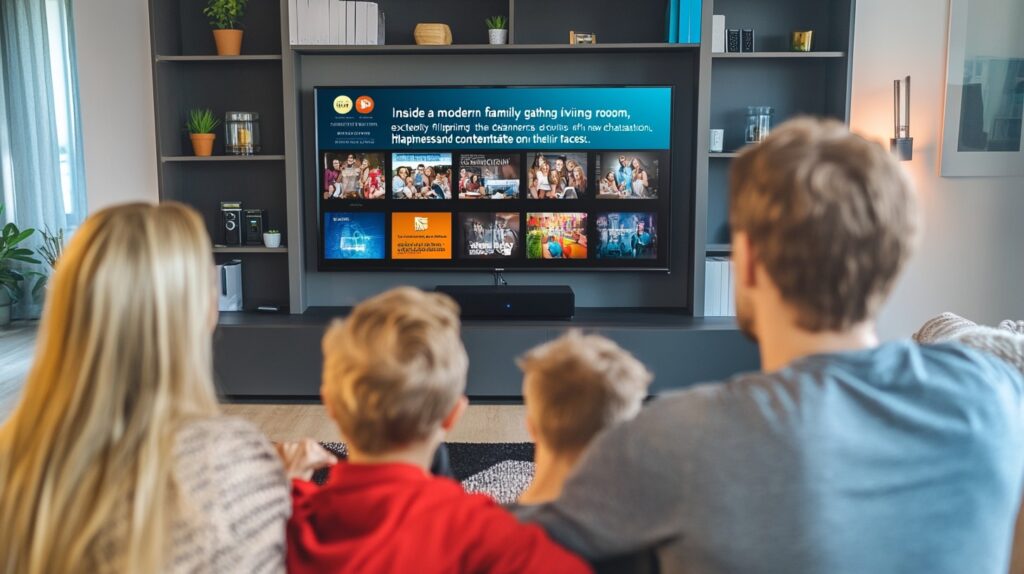
The best choice depends on how your home watches TV. If your children mostly use on-demand apps, profile controls may be enough. If your household watches a lot of live television across multiple devices, you need stronger channel locking, purchase protection, and device restrictions.
For families comparing cable alternatives, this is where a provider that prioritizes easy setup and reliable support stands out. RoyalPPV, for example, speaks directly to homes that want broad access without complexity. That only works long term when parents can shape that access in a way that fits their family.
Good parental control features do not need to be fancy. It needs to be clear, fast, and hard for kids to bypass. If a service gets that right, you can enjoy the savings and content range of internet television without second-guessing what is showing up on screen.

Explore the Best IPTV Service with Global Channels – Watch Thousands of Live TV Channels, PPV Events, Movies, & TV Shows Anytime, Anywhere.
© 2011-2026 RoyalPPV, All rights reserved
